
- Home
- intelliInventory Management System
- IIMS – Dashboard
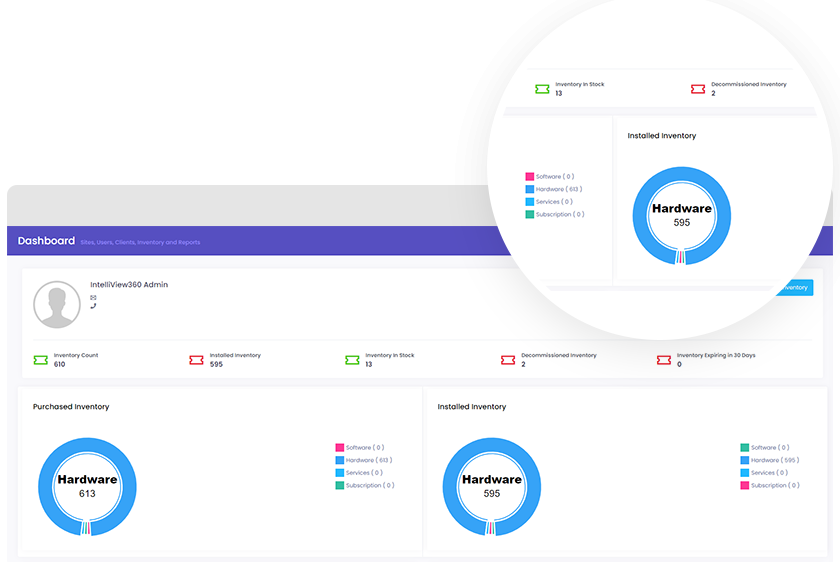
Quick inventory overview
Your dashboard allows for quick analysis of all your inventory. You’ll be able to view inventory distribution on multiple filters, including installed, in stock, decommissioned, and expiring inventory. Purchased and installed inventory is also available.
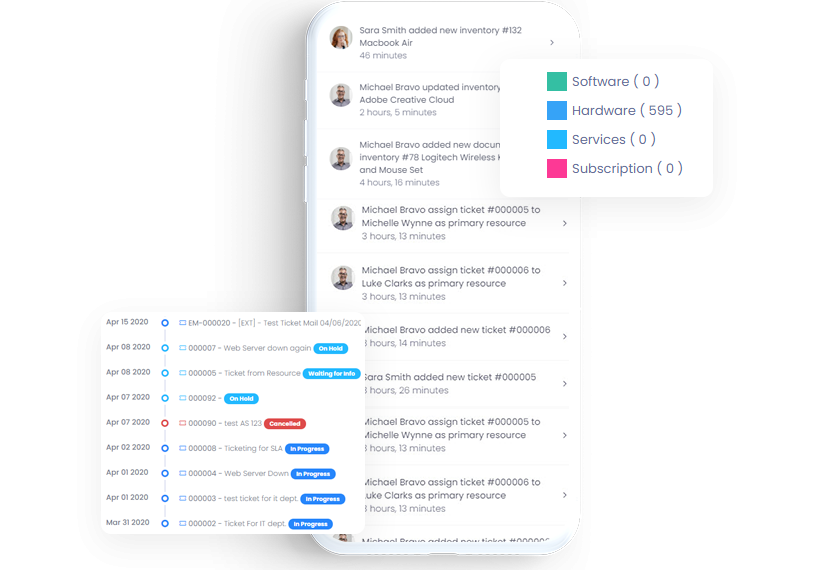
Recent activities
Keep an eye on inventory activity with the recent activities feature. Inventory activity is timestamped and lists the asset and its newest activity.
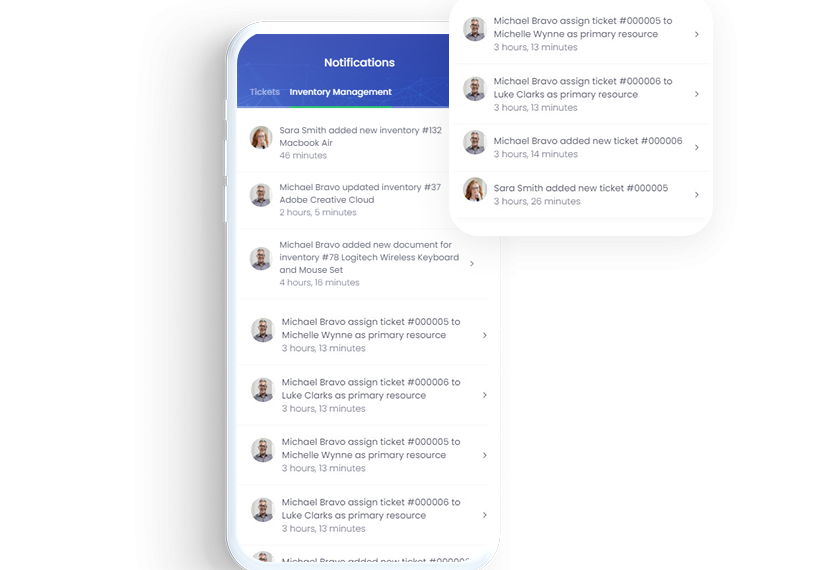
Notifications
When logged in to the intelliView360 portal, users can enable popup and sound notifications to stay updated.
Additional Features

Add Inventory

Inventory Deployment

Reporting

Renewals

Multi-Site Inventory

Escalation

Customizable Alerts

Custom Domain
The intelliView360 Advantage

Agile
At intelliView360, we do not like to stay boxed in. Our solutions are change makers and respond quickly to the fast-paced world...
Read More
Feedback
At intelliView360, we put the user at the forefront. We are always looking for feedback to improve our products and make it...
Read More
Collaboration
At intelliView360, our foundation is collaboration. Our products are built with the goal of helping your organization work together in mind.
Read More
Teamwork
Our team is driven. It is focused. It is talented. It is passionate. It is bold. And our ticketing management software will...
Read More
Innovation
We have never been good at sticking to the status quo. All of our products are groundbreaking technologies in a user-friendly package.
Read More
Experience
Our years in the industry have shown us valuable nuances that are reflected in our ticketing management software as defining features.
Read MoreStay in touch with intelliView360
At intelliView360, our favorite word is together. Be it a long night or an early morning, we’re constantly bouncing ideas off of each other, working on our latest software together, and yes, even enjoying a slice of pizza together. Our products helped our team grow together. We can’t wait to help your team grow together, too.