
- Home
- intelliTicketing Management System
- ITMS – Ticket Status
Timeline
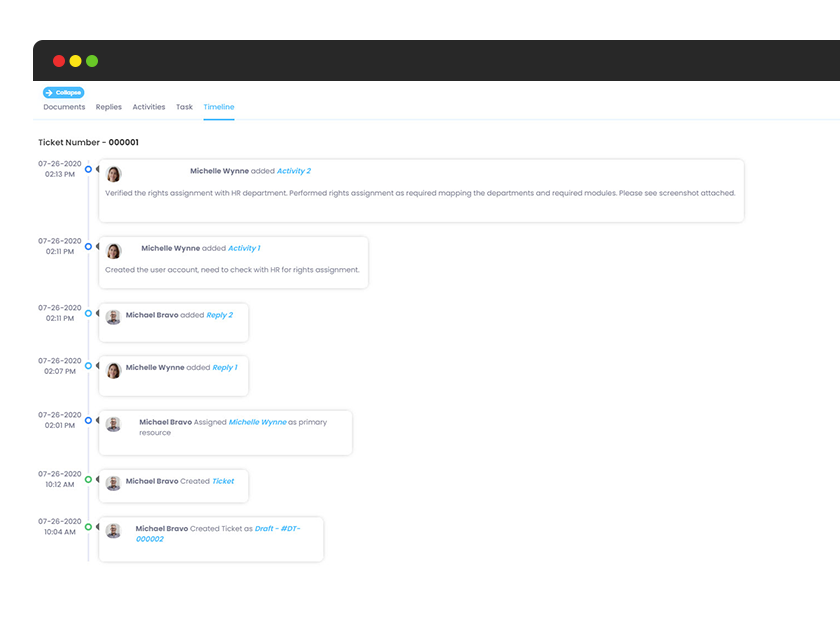
Your ticket timeline shows the timestamped life cycle of your ticket from creation to completion. The timeline includes any activities and tasks completed, along with any replies and documents added. Activities, tasks, replies, and documents each have their own tab within the ticket as well for ease of understanding and use.
Activity
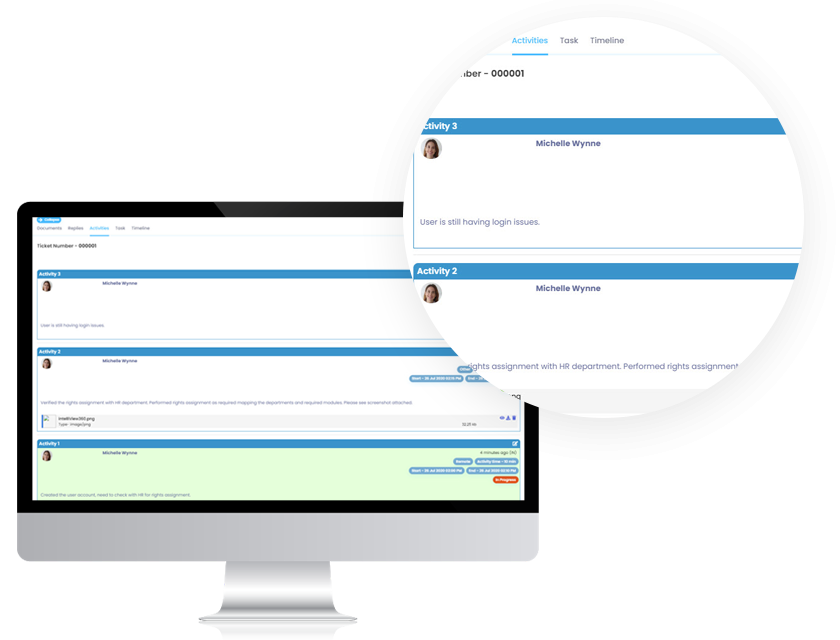
Activity for each ticket is most often done by the technical support group member assigned. Each activity includes a description of what was done, when it occurred, and the status of the activity.
Tasks
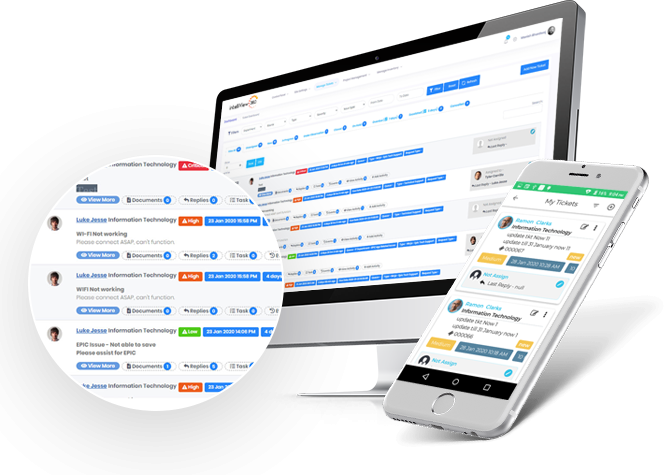
Tasks are added by the support department to ensure resources are staying on track. Each task is a milestone that can map out the ticket from the beginning to end. Activities are done by the support group to complete tasks.
Chat communication
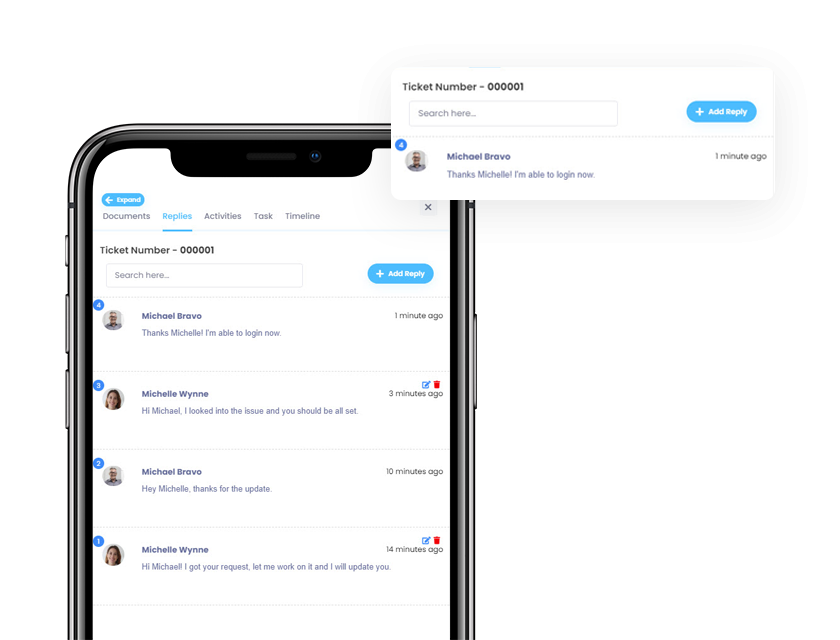
Phone tag is now a thing of the past with intelliView360’s chat communication feature. The end user can directly communicate with the technical support group within the ticket, adding documents and attachments if necessary. As a bonus, all communication is saved for reference later.
Documents
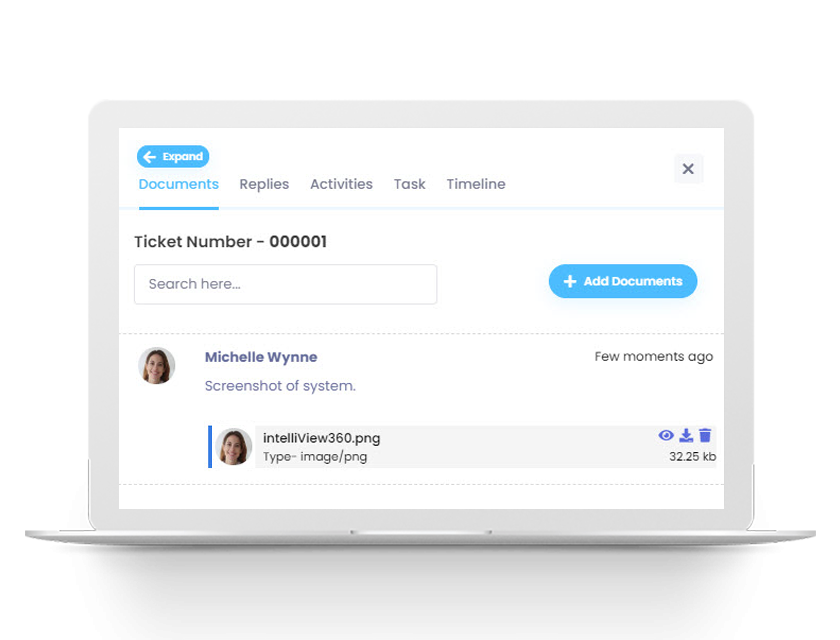
Everyone involved with the ticket can attach relevant documents, files, and screenshots. All documents are saved for reference within the ticket later.
Associate tickets
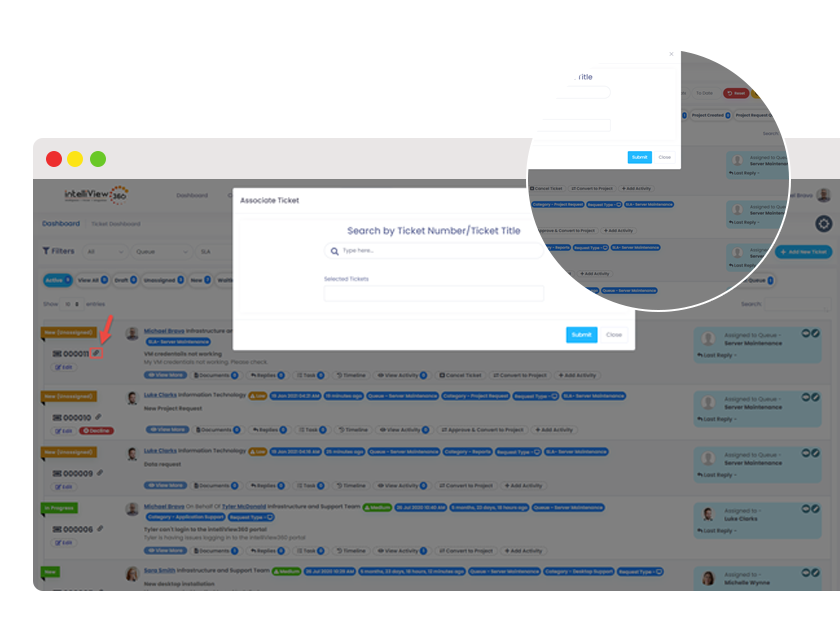
Tickets can be grouped with other related tickets for trackability and consolidation.
Feedback
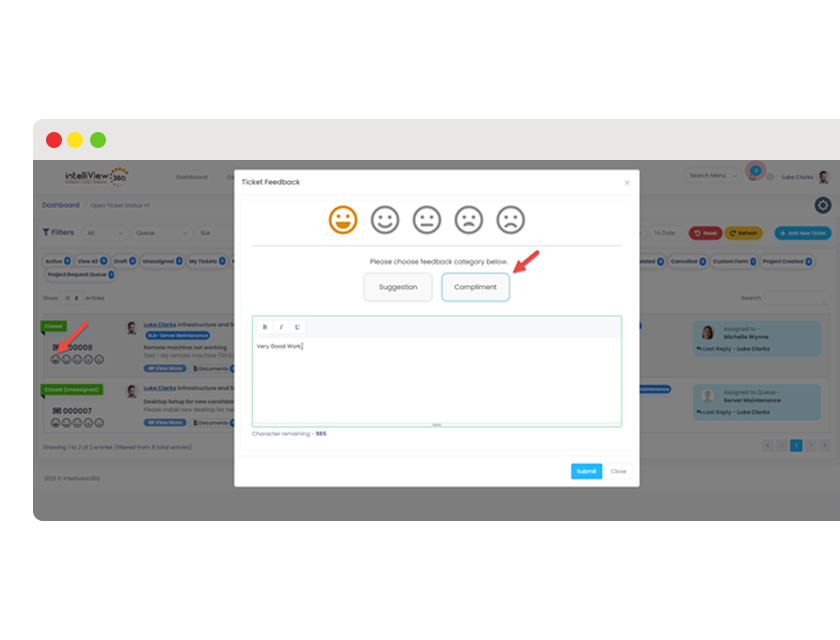
Users can provide feedback on completed tickets to help improve the quality of service.
Additional Features

Dashboard

Ticket Creation

Tickets via Email

Ticket Assignment

Chat Communication

Customizable Alerts

Quick Filters

Ticket Grouping

SLAs and Ticket Escalation

On Behalf Of And Ticket Handoff

Ticket Feedback

Reopen Ticket

Knowledge Base

Comprehensive Profile Management

Custom Forms

Custom Form Mapping

Resource Management

Collaboration & Workflow

Change Management

Life Cycle Management & Reporting

Reporting Data Analytics

Announcements

The intelliView360 Advantage

Agile
At intelliView360, we do not like to stay boxed in. Our solutions are change makers and respond quickly to the fast-paced world...
Read More
Feedback
At intelliView360, we put the user at the forefront. We are always looking for feedback to improve our products and make it...
Read More
Collaboration
At intelliView360, our foundation is collaboration. Our products are built with the goal of helping your organization work together in mind.
Read More
Teamwork
Our team is driven. It is focused. It is talented. It is passionate. It is bold. And our ticketing management software will...
Read More
Innovation
We have never been good at sticking to the status quo. All of our products are groundbreaking technologies in a user-friendly package.
Read More
Experience
Our years in the industry have shown us valuable nuances that are reflected in our ticketing management software as defining features.
Read MoreStay in touch with intelliView360
At intelliView360, our favorite word is together. Be it a long night or an early morning, we’re constantly bouncing ideas off of each other, working on our latest software together, and yes, even enjoying a slice of pizza together. Our products helped our team grow together. We can’t wait to help your team grow together, too.